| Tutorial SNES |
|---|
1.- What´s SNES9x?
2.- Where can I download SNES9x emulator?
3.- Installing SNES9x emulator
4.-Downloading SUPER NINTENDO/SNES GAMES/ROMS
5.-Running SUPER NINTENDO/SNES ROMS on your Snes9x emulator
| SNES9x is the Emulator that you need to play your Super Nintendo ROMS . In this tutorial you will learn how to use it |
Go to the emulators section and press on SNES Emulators |
And then download SNES9x |
| 3.- Installing SNES9x emulator |
Click on setup file:
Then select the directory you want and after press next
You have installed Snes9x |
| 4.- Downloading SNES ROMS/GAMES |
In the roms section press on SUPER NINTENDO/SNES ROMS or go to: https://www.retroarcadehub.com/roms/SNES |
| 5.-Running SNES Roms/GAMES on your SNES9x emulator |
1.- Click on Snex9x icon:
2.- Click on File-->Load Game// or Ctrl + O
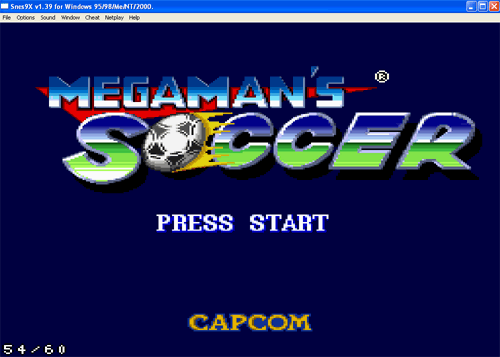
3.- Select the Rom you want to play and press Open Rom (example, Megaman´s soccer)
4.- Finally:
|
| 6.-Controls of SNES9x |
|